
Photo-to-video scenes
Choose from 12 settings, including a street walk, power handshake, luxury car reveal and island sunset. The planned video format is a six-second vertical 9:16 scene. Live rendering is not available in this preview.
Explore 12 original photo-to-video scenes and prompts.
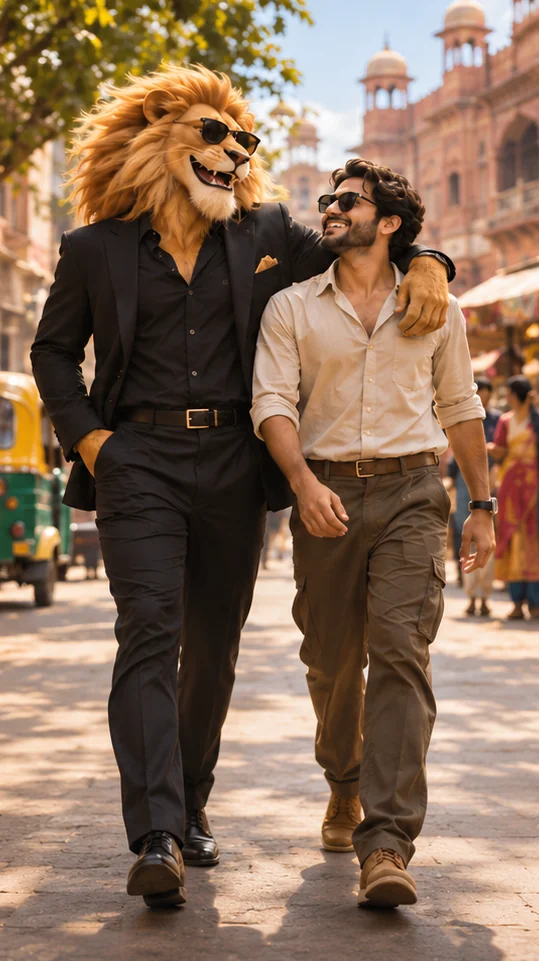
Original AI scene artwork · not a generated video result
Video generation is coming soon. Explore templates and prompts today.
Pick the scene you want to step into.
Choose a clear, front-facing photo of yourself.
Pick a template for your lion story.
Review the displayed cost before starting a video.
Twelve original first-frame and motion prompts to adapt. Creative starters, not tested generation results.
Sheru Bhai AI is a lion-story concept that pairs a charismatic lion with a person in a cinematic scene. On sheru-bhai.com, you can explore original scenes, preview a photo locally and read ready-to-adapt creative prompts.
Choose from 12 settings, including a street walk, power handshake, luxury car reveal and island sunset. The planned video format is a six-second vertical 9:16 scene. Live rendering is not available in this preview.
Each Sheru Bhai prompt includes a first-frame image description, a motion prompt and a negative prompt. These original drafts are starting points; they have not been tested for face preservation or a specific generation model.
Use a clear photo of one adult whose image you have permission to use. The current photo preview stays on your device. The user guide explains scene selection, account access and how to contact support.
Not yet. You can explore the original scene artwork, select a photo locally and use the prompt library now. Live video generation, supported models and the confirmed price will be shown when the service is available.
Use a clear photo of one adult, facing the camera in good light. Upload your own photo, or one you have permission to use. JPG, PNG and WebP files up to 10 MB are supported in this preview.
The planned template output is a six-second vertical video. The current preview lets you explore scene artwork and your photo locally. Live video creation and its price will be shown when available.
No. They are original AI-generated scene illustrations that show the creative direction. They are not proof of face preservation or a completed photo-to-video job.